



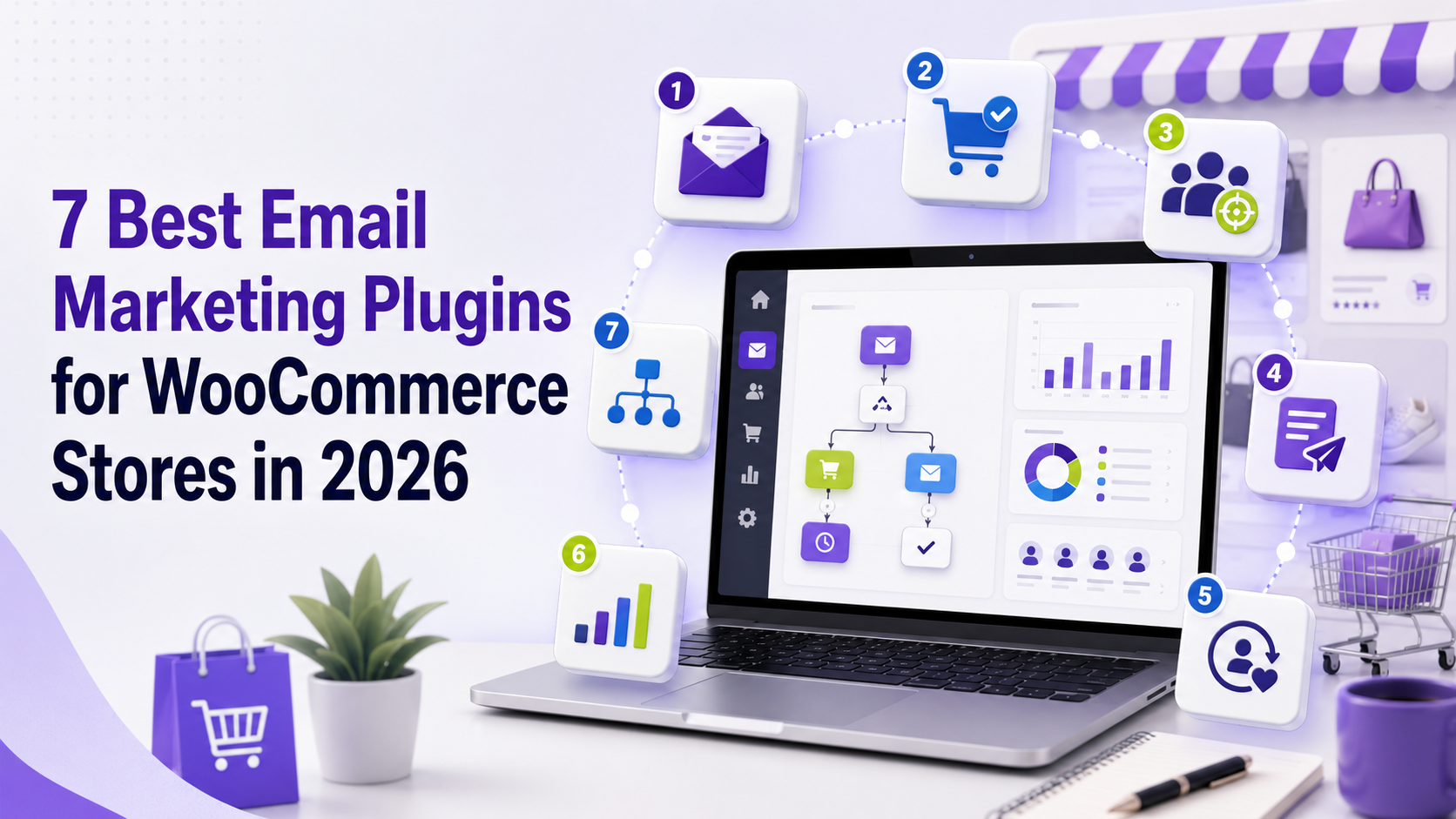
The best email marketing plugins for WooCommerce help online stores automate customer communication, recover abandoned carts, segment shoppers, and encourage repeat purchases. They connect WooCommerce customer and order data with email campaigns that respond to different stages of the buying journey.
WooCommerce already sends transactional messages such as order confirmations, payment updates, shipping notifications, refunds, password resets, and account details. These emails are essential for operating a store, but they are not a complete email marketing system.
A dedicated email marketing tool adds newsletters, behavioral automation, customer segmentation, product recommendations, post-purchase follow-ups, review requests, and re-engagement campaigns. These capabilities allow stores to communicate with customers according to their interests and actions rather than sending the same message to everyone.
Choosing the right tool requires more than comparing feature lists. Some platforms work inside WordPress, while others synchronize WooCommerce data with a hosted service. Certain options focus on simple newsletters, while others provide detailed automation, CRM functions, SMS marketing, predictive analysis, or advanced e-commerce reporting.
This guide compares seven email marketing WooCommerce solutions in 2026. Each platform is examined according to its features, practical benefits, limitations, ideal users, and deployment model. The objective is to provide a neutral comparison rather than position one product as the universal answer
Quick Comparison of the Best WooCommerce Email Marketing Plugins
The following table compares seven of the best email marketing plugins for WooCommerce, including WordPress-native plugins, WooCommerce extensions, and hosted platforms that integrate with an online store.
| Tool | Best suited for | Main advantage | Platform type |
| NextCRM | WordPress and WooCommerce businesses | Native CRM and marketing automation | WordPress plugin |
| Klaviyo | Data-driven ecommerce brands | Advanced behavioral segmentation | Hosted SaaS |
| Mailchimp | Small businesses and beginners | Broad marketing ecosystem | Hosted SaaS |
| MailPoet | WordPress-based newsletters | Native WordPress campaign management | WordPress plugin |
| Brevo | Email and SMS communication | Multichannel marketing features | Hosted SaaS |
| ActiveCampaign | Complex customer journeys | Advanced automation and CRM | Hosted SaaS |
| AutomateWoo | WooCommerce lifecycle automation | Deep WooCommerce workflow integration | WooCommerce extension |
The best platform depends on what the store needs to accomplish. A small business may need a newsletter builder and a few basic automations. A growing retailer may require product-based segmentation, cart tracking, customer-lifetime-value data, and detailed revenue reporting.
Before selecting a tool, identify the campaigns you intend to build, the customer data those campaigns require, and the resources available to manage the platform.
Why WooCommerce Stores Need an Email Marketing Plugin
WooCommerce sends transactional messages when particular store events occur. For example, a customer receives an email when an order is placed or completed. These messages are necessary, but they are designed to communicate information about a transaction rather than develop an ongoing customer relationship.
Email marketing plugins help close this gap.
Build relationships before the first purchase
Many visitors are not ready to order during their first visit. They may compare products, read reviews, check shipping policies, or wait until they have a stronger reason to buy. A newsletter subscription gives the store an opportunity to continue the conversation. Instead of sending the same promotional email repeatedly, the business can create a welcome sequence that explains what it sells, addresses common questions, and helps subscribers make informed decisions.
The sequence can also distinguish between someone who has never purchased and an existing customer who subscribed during checkout.
Recover incomplete purchases
Shoppers abandon carts for many reasons. Some become distracted, while others have questions about delivery, payment methods, returns, sizing, or product compatibility.
A WooCommerce abandoned-cart email plugin can identify eligible carts and send reminders after a defined period. A useful message can provide a direct link to the cart and answer questions that may have prevented checkout.
Not every abandoned-cart campaign needs to include a discount. Automatically offering coupons may reduce margins and encourage customers to delay purchases deliberately. Stores can first test clear reminders, shipping information, product reviews, support links, or payment guidance.
Improve post-purchase communication
A customer relationship should not end after the order confirmation.
Post-purchase emails can explain how to install, use, maintain, or care for a product. They can also provide delivery expectations, support information, tutorials, and answers to frequently asked questions.
Helpful onboarding can reduce confusion and support requests. It may also increase the likelihood that customers have a positive experience before the store asks for a review or recommends another product.
Encourage repeat purchases
Acquiring a new customer often requires considerable marketing effort. Email automation helps stores continue communicating with people who have already demonstrated interest by purchasing.
Repeat-purchase campaigns may include replenishment reminders, complementary-product recommendations, loyalty information, or educational content.
Timing matters. A skincare customer may need a reorder reminder after several weeks, while someone who buys furniture may not need another product for many months. Automation should reflect the store’s normal buying cycle rather than using the same delay for every business.
Segment customers by behavior
Sending every campaign to the entire database usually reduces relevance. Subscribers, first-time buyers, repeat customers, and inactive contacts have different needs.
A suitable WooCommerce email marketing plugin can create segments based on information such as:
- Products purchased
- Product categories
- Number of orders
- Total spending
- Last purchase date
- Cart activity
- Campaign engagement
- Customer location
- Subscription status
- Signup source
Dynamic segments update as customer behavior changes. A first-time buyer can automatically move into a repeat-customer segment after placing another order.
Re-engage inactive customers
Email databases naturally accumulate inactive contacts. Some people lose interest, change addresses, or no longer need the products.
A win-back sequence can contact previous customers after a meaningful period of inactivity. The campaign may introduce relevant changes, share useful content, request preference updates, or provide a suitable incentive.
If a contact remains unresponsive, reducing email frequency may protect sender reputation and lower platform costs. The business should follow an established retention policy instead of emailing inactive contacts indefinitely.
Measure marketing results
Most email platforms report deliveries, clicks, bounces, unsubscribes, and conversions. Ecommerce-focused tools may also connect campaign activity with orders and revenue.
Revenue attribution requires careful interpretation. Platforms may use different rules and attribution periods. One tool may credit an order after a recipient opens an email, while another may require a click.
Even with these limitations, reporting helps stores compare audiences, subject lines, content, timing, and automated workflows.
Features to Look for in a WooCommerce Email Marketing Plugin
A longer feature list does not always indicate a better platform. The right tool must support the store’s real customer journeys while remaining affordable and manageable.
Direct WooCommerce integration
The platform should synchronize the data needed for marketing campaigns. Depending on the integration, this may include the following:
- Customer contact details
- Marketing subscription status
- Orders and order values
- Products and variations
- Product categories
- Cart contents
- Checkout activity
- Coupons
- Refunds
- Subscription information
- Customer lifetime value
Not every integration supports every event. A basic connection may transfer completed orders without collecting browsing or cart activity.
Stores using WooCommerce Subscriptions, memberships, multilingual plugins, product bundles, custom checkout fields, or unusual order statuses should test compatibility carefully.

Automation workflow builder
An automation begins when a trigger occurs. Common triggers include a new subscription, an order, a cart abandonment, a product purchase, or a period of customer inactivity.
The workflow may then use delays and conditions to determine which message should be sent.
A capable automation builder should support:
- Multiple triggers
- Time delays
- Conditional branches
- Contact tags
- Customer-field updates
- Goals
- Internal notifications
- Frequency controls
- Exit conditions
Exit conditions are essential. A shopper should leave an abandoned-cart workflow immediately after placing an order. Similarly, a customer who renews a subscription should stop receiving expiration reminders.
Ecommerce customer segmentation
Basic segmentation groups contacts by information such as country, language, or subscription status. Ecommerce segmentation uses purchase behavior and store activity.
A store might create segments for:
- Subscribers who have not purchased
- First-time customers
- Repeat buyers
- Customers who purchased a certain product
- Customers who spent more than a specified amount
- Shoppers who clicked without purchasing
- Customers who have not ordered recently
- Buyers approaching a replenishment period
The platform should allow multiple conditions to be combined. It should also update segments automatically when customers no longer meet the criteria.
Email editor and templates
Most email platforms provide visual editors for building campaigns without writing HTML. WooCommerce businesses should look for responsive layouts, reusable sections, mobile previews, and product blocks.
Product blocks can pull information directly from WooCommerce, including product images, names, prices, and links. This reduces manual work and prevents outdated product information from being copied into campaigns.
Templates should support brand consistency without making every email overly complex. A clean design that works across major email clients is more useful than an elaborate layout that breaks on mobile devices.
Personalization features
Basic personalization inserts information such as a customer’s name. More useful e-commerce personalization considers purchase history, product interest, location, and engagement.
For example, a store might send instructions for the exact product ordered or recommend an accessory that is compatible with a previous purchase.
Personalization depends on reliable data. Platforms should provide fallback content when a customer field is incomplete or unavailable.
Consent and subscription management
A previous customer is not automatically a marketing subscriber in every jurisdiction. The platform must distinguish between transactional contacts and people who have provided appropriate permission for promotional emails.
Important consent features include:
- Checkout opt-in controls
- Subscription records
- Double opt-in options
- Unsubscribe processing
- Suppression lists
- Preference management
- Consent timestamps
- Data-export and deletion tools
When migrating historical customers, stores should preserve the original marketing status rather than converting every order record into a subscribed contact.
Deliverability support
Deliverability describes whether an email reaches the intended inbox instead of being rejected or filtered.
Important deliverability factors include:
- SPF authentication
- DKIM authentication
- DMARC policy
- Domain reputation
- Bounce management
- Complaint rates
- List quality
- Sending consistency
- Message relevance
- Unsubscribe handling
Hosted email platforms normally operate their own sending infrastructure or coordinate it as part of the service. WordPress-native tools may require a separate SMTP or email API connection.
Neither model guarantees inbox placement. The store must still maintain a permission-based list and remove invalid or persistently disengaged contacts when appropriate.
Reporting and revenue measurement
Email reporting should extend beyond open rates. Privacy features and automatic image loading can make opens less reliable as a standalone measurement.
WooCommerce stores should also examine:
- Click rate
- Conversion rate
- Bounce rate
- Unsubscribe rate
- Revenue per recipient
- Revenue per campaign
- Orders influenced by email
- Repeat-purchase rate
- Automation completion
- Performance by customer segment
Stores should understand the platform’s attribution method before comparing reported revenue with another service.
Pricing and scalability
Email marketing products use different pricing models. Some charge according to stored contacts, active profiles, monthly email volume, users, or feature access.
Self-hosted plugins may use annual or lifetime licences, but the business must also account for hosting, database performance, backups, maintenance, and email delivery.
Estimate the total cost at the expected contact count one or two years from now. A low introductory price may become expensive as the database grows.
1. NextCRM
NextCRM is a WordPress-native CRM and email automation plugin. Contacts, lists, tags, campaigns, customer information, reports, and workflows are managed inside WordPress.
The platform takes a different approach from fully hosted email marketing services. Customer and campaign information remains within the website environment, while the business configures an appropriate mailbox or email delivery service.
WooCommerce stores can use customer and purchase information to create segments and automated campaigns. However, the practical suitability of a self-hosted system depends on the store’s hosting environment and technical capacity.
Key features
- Native WordPress contact management
- WooCommerce customer data
- Lists, tags, and segments
- Campaign scheduling
- Automation triggers and actions
- Visual email-building options
- Campaign engagement reporting
- Purchase information
- Multiple mailbox connections
Advantages
The WordPress-native structure allows teams to manage customer relationships and campaigns in a familiar environment.
This approach can also give website owners more direct control over customer information. Licence-based pricing may be more predictable than contact-based billing in some cases, although hosting and sending expenses must still be included.
It may suit businesses that want their WordPress website to remain the central location for ecommerce and marketing activity.
Limitations
The website owner remains responsible for security, maintenance, backups, performance, and email-delivery configuration.
A growing contact database and large volume of activity records can increase database demands. Stores should monitor their hosting environment as campaign and customer volume grows.
The third-party integration ecosystem may be smaller than that of larger SaaS platforms. Businesses should confirm required connections before adopting the tool.
Best suited for
NextCRM can be considered by WordPress and WooCommerce businesses seeking native campaign management and greater control over customer data.
2. Klaviyo
Klaviyo is a hosted marketing platform known for ecommerce customer profiles, detailed segmentation, automation, and behavioral data.
The platform combines supported WooCommerce events with campaign engagement to create a broader view of each contact. Marketers can build segments using purchase history, customer value, website activity, and interactions with previous campaigns.
This level of detail can be valuable for a growing store, but it also requires careful setup and ongoing management.
Key features
- Ecommerce customer profiles
- Advanced behavioral segmentation
- Visual automation flows
- Email and SMS campaigns
- Product recommendations
- Campaign testing
- Revenue attribution
- Predictive features on eligible accounts
- Customer-lifecycle reporting
Advantages
Klaviyo allows marketers to combine multiple customer conditions. A segment could identify customers who bought from one category, spent above a particular amount, and have not purchased recently.
The automation builder supports conditional paths, filters, time delays, and workflow exits. This enables stores to create different experiences for new customers, repeat buyers, and high-value shoppers.
Reporting can connect campaigns and flows with ecommerce revenue, provided the team understands the attribution settings.
Limitations
The platform has a steeper learning curve than a simple newsletter tool. Incorrect filters or event settings can cause customers to enter the wrong workflows.
Pricing may become substantial as active customer profiles increase. Stores should review unengaged and duplicate contacts while preserving any records required for legal or operational purposes.
Smaller businesses may not use enough advanced functionality to justify the cost and management requirements.
Best suited for
Klaviyo is appropriate for growing ecommerce businesses that need advanced segmentation and have the internal resources to manage a data-driven marketing program.
3. Mailchimp
Mailchimp is a widely used marketing platform offering newsletters, audience management, forms, automation, and reporting.
Its WooCommerce integration can synchronize customers and order information with a Mailchimp audience. The connected data can support purchase-based segmentation, product recommendations, abandoned-cart emails, sales tracking, and related ecommerce campaigns.
Mailchimp is a general marketing platform rather than an exclusively ecommerce-focused system. This can benefit businesses that combine online retail with publishing, events, lead generation, or services.
Key features
- Drag-and-drop email editor
- Campaign templates
- Audience and contact management
- Customer journey automation
- WooCommerce data synchronization
- Purchase-based segmentation
- Product recommendations
- Signup forms and landing pages
- Campaign reporting
Advantages
Mailchimp provides a familiar interface and extensive educational material. Its large integration ecosystem can be useful for businesses that rely on several external applications.
The platform supports both newsletters and ecommerce campaigns. This flexibility may suit a brand that publishes educational content while also operating a WooCommerce store.
Its WooCommerce integration can use order activity for targeted campaigns when the synchronization and consent settings are configured correctly.
Limitations
Audience structure requires careful planning. Storing the same contact in several audiences may complicate administration and affect pricing.
Automation, testing, scheduling, and reporting capabilities differ between plans. Businesses should evaluate the exact plan they intend to purchase.
Although Mailchimp supports ecommerce, stores needing highly specialized retail automation may find ecommerce-first platforms more suitable.
Historical synchronization may take time for a large store. The business must also ensure that previous customers are imported with the correct subscription status.
Best suited for
Mailchimp is suited to small businesses seeking a familiar general-purpose marketing platform with WooCommerce support.
4. MailPoet
MailPoet is a WordPress email marketing plugin that allows users to create newsletters, manage subscribers, and configure certain WooCommerce emails from the WordPress dashboard.
This native approach may be convenient for teams that already manage website content and products inside WordPress.
MailPoet supports product blocks that pull information from the WooCommerce catalogue. It also provides tools for customizing the appearance of transactional store emails.
Key features
- WordPress newsletter editor
- Subscriber and list management
- WooCommerce customer segmentation
- Product blocks
- Welcome emails
- Post-purchase emails
- Transactional-email customization
- Sending-service options
- Basic campaign reporting
Advantages
MailPoet provides an accessible workflow for WordPress users. Marketing teams can create newsletters without repeatedly switching between WooCommerce and an external dashboard.
Product blocks reduce the work required to feature catalogue items. Transactional-email customization also helps stores maintain consistent branding across order-related communication.
The system can be less intimidating for small teams that need basic newsletters and a manageable collection of automated emails.
Limitations
Businesses requiring complex automation branches, predictive analytics, advanced behavior tracking, or extensive multichannel campaigns may need a more specialized platform.
As a WordPress plugin, MailPoet becomes part of the website environment. Hosting resources, database performance, plugin compatibility, updates, and backups must therefore be considered.
Stores should review the limits and requirements of the available sending service before selecting a plan.
Best suited for
MailPoet is suitable for small WooCommerce stores, publishers, and WordPress-focused teams that prioritize simplicity.
5. Brevo
Brevo is a hosted customer-communication platform combining email marketing, transactional email, SMS, automation, forms, and CRM-related capabilities.
This broader approach may help businesses manage several types of communication through one platform. Marketing campaigns and transactional messages can be kept within a connected system instead of relying on unrelated services.
Its suitability for WooCommerce depends on whether the integration supports the events and fields required by the store.
Key features
- Email campaign editor
- Marketing automation
- Transactional email
- SMS marketing
- Contact segmentation
- Forms and landing pages
- CRM-related tools
- Campaign reporting
Advantages
Brevo supports both marketing and transactional communication. This may simplify administration for stores that want to manage these functions through one provider.
Its automation tools can coordinate messages based on contact properties and customer actions.
Depending on current plan structures, a sending-volume model may benefit businesses with a large database that email only selected segments.
Limitations
The platform includes many functions, which may make the interface feel complex for a team that needs only newsletters.
Some capabilities require higher plans. SMS messages also create additional expenses and regulatory considerations.
WooCommerce stores should test the integration with their checkout configuration, custom order statuses, subscription extensions, and other important plugins.
Best suited for
Brevo is suitable for businesses that want email marketing, transactional delivery, and SMS communication through a hosted platform.
6. ActiveCampaign
ActiveCampaign combines email marketing, customer segmentation, CRM functionality, and advanced automation.
Its visual automation builder supports triggers, conditional branches, time delays, goals, tags, contact scoring, internal alerts, and other actions.
This flexibility is valuable for companies with customer journeys that extend beyond a straightforward online purchase. A high-value or customized product may require communication between marketing employees and a sales team.
Key features
- Advanced workflow builder
- Email campaigns
- Customer segmentation
- CRM pipelines
- Contact scoring
- Conditional automation paths
- Ecommerce integrations
- Campaign reporting
- Internal sales notifications
Advantages
ActiveCampaign can support detailed automation logic. A workflow can evaluate customer activity, assign tags, update records, notify employees, and direct contacts through different paths.
Its CRM features are useful when a WooCommerce order is connected with a larger sales or service process.
The platform may also suit businesses that sell products alongside consultations, subscriptions, or professional services.
Limitations
The learning curve is higher than that of basic newsletter software. Complex workflows can become difficult to review if the business lacks consistent documentation and naming conventions.
Pricing depends on contacts, features, and plan selection. Stores should verify whether required ecommerce functions are available on the intended plan.
A small shop that needs only newsletters and a basic welcome campaign may find the system unnecessarily complicated.
Best suited for
ActiveCampaign is suitable for established businesses requiring complex marketing automation and CRM coordination.

7. AutomateWoo
AutomateWoo is a WooCommerce extension for creating automated customer workflows inside WordPress. It supports abandoned-cart recovery, post-purchase follow-ups, review requests, personalized coupons, subscription reminders, and win-back campaigns.
Key Features
- Abandoned-cart recovery
- Post-purchase emails
- Review reminders
- Personalized coupons
- Subscription automation
- Customer win-back campaigns
Pros
- Deep WooCommerce integration
- Flexible customer and order conditions
- Managed directly inside WordPress
Cons
- Limited CRM and newsletter features
- May increase WordPress database activity
- Requires reliable email delivery configuration
Best For
WooCommerce stores that need lifecycle automation based on orders, carts, products, and customer activity.
WooCommerce Email Automations Worth Creating
Choosing a platform is only the first step. The business also needs customer journeys that provide relevant information at the right time.
Welcome-email sequence
A welcome sequence begins after a visitor subscribes or provides appropriate permission during checkout.
The first message should confirm the subscription and explain what the recipient can expect. Later emails may introduce important product categories, answer buying questions, or share useful resources.
The sequence should distinguish between subscribers who have never ordered and existing customers. Sending basic brand introductions to frequent customers may feel repetitive.
Abandoned-cart sequence
An abandoned-cart workflow starts when an identified shopper leaves eligible products in a cart without completing an order.
The first message can provide a simple reminder and a link to return. A later email might address shipping, product compatibility, payment options, or return policies.
The workflow must remove customers immediately after a completed purchase. It should also include frequency controls to prevent people from receiving too many reminders.
Browse-abandonment email
Browse-abandonment campaigns target identified visitors who viewed products but did not add them to their cart.
A product view indicates less intent than a cart addition, so the message should remain subtle. It could provide helpful information about the category or viewed product rather than claiming the customer forgot something.
Stores need appropriate tracking and consent. They should also limit frequency because an email following every product view may feel intrusive.
Post-purchase onboarding
A post-purchase sequence helps customers use or understand what they ordered.
Potential content includes:
- Setup instructions
- Care guidance
- Product tutorials
- Delivery expectations
- Frequently asked questions
- Support information
- Warranty details
- Compatibility advice
Educational content can reduce confusion and create a better experience before the store introduces another sales message.
Review request
A review request should be sent after the order has probably arrived and the customer has had sufficient time to use it.
Timing depends on the product. A digital file may be available immediately, while an international physical order may take several weeks to arrive.
The email should make it easy to provide honest feedback. It should not imply that only positive reviews are acceptable.
Cross-sell campaign
A cross-sell campaign recommends complementary products based on an earlier purchase.
The relationship between the products should be meaningful. Recommending a compatible accessory is more useful than displaying an unrelated collection simply because it is popular.
Stores should avoid sending recommendations for products the customer already owns unless repeat purchasing is appropriate.
Replenishment reminder
A replenishment campaign reminds customers when a consumable product may be running low.
The delay should reflect typical customer behavior rather than an arbitrary number of days. Where possible, allow recipients to adjust the reminder frequency.
These emails can be especially useful for products such as food, supplements, skincare, office supplies, and household essentials.
Win-back sequence
A win-back campaign targets customers who have not purchased for a meaningful period.
The definition of inactivity depends on the business. Ninety days may be significant for a frequently purchased product but normal for an expensive item bought once a year.
If recipients remain inactive, the workflow can reduce their email frequency or move them out of regular promotional campaigns.
Self-Hosted vs Hosted WooCommerce Email Marketing
The platforms in this guide use two broad deployment models.
Hosted email marketing platforms
Klaviyo, Mailchimp, Brevo, and ActiveCampaign operate as hosted SaaS services.
Advantages
- The provider manages application infrastructure
- Updates require less technical work from the store
- Distributed teams can access the platform separately
- Sending infrastructure is generally included
- Many services provide extensive third-party integrations
Limitations
- Ongoing subscription costs
- Prices may grow with contacts or usage
- WooCommerce data is synchronized externally
- The business depends on provider availability and policies
- Changing platforms may require rebuilding workflows
WordPress-native email marketing plugins
MailPoet and NextCRM place more campaign management within WordPress.
Advantages
- Familiar WordPress administration
- Customer data remains closer to website operations
- More direct control over certain records
- Potentially predictable software licensing
- Fewer dashboards for WordPress-focused teams
Limitations
- The website owner manages hosting and maintenance
- Large databases may require better server resources
- Backups and security remain important
- Reliable email delivery must be configured
- Plugin conflicts and scheduled tasks require monitoring
Neither model is automatically better. A hosted system provides more infrastructure convenience, while a WordPress plugin may provide greater control.
How to Choose the Right WooCommerce Email Marketing Plugin
Define the required campaigns
Begin by listing the campaigns the store wants to implement over the next year.
For each campaign, identify:
- The trigger
- Required customer data
- Timing
- Segmentation rules
- Message content
- Exit conditions
- Success measurement
This reveals whether the platform supports the actual strategy instead of merely providing an impressive feature list.
Test the WooCommerce integration
A trial should involve real WooCommerce activity. Create test customers, place orders, abandon carts, apply coupons, issue refunds, and confirm that the information reaches the marketing platform correctly.
Stores using subscriptions, memberships, multilingual features, bookings, custom fields, or product bundles should test those elements specifically.
Compare long-term costs
Estimate the cost at the expected contact volume in twelve and twenty-four months.
Include:
- Platform subscription or plugin licence
- Email delivery
- SMS costs
- Additional users
- Premium integrations
- Hosting upgrades
- Technical maintenance
- Migration expenses
A self-hosted tool is not necessarily cheaper, and a SaaS platform is not necessarily more expensive. The result depends on the store’s scale and operational requirements.
Consider the team’s experience
The most advanced automation system provides little value if the team cannot use it confidently. A smaller platform that employees can maintain consistently may deliver better results than a complex system operated by only one person.
Businesses choosing a WordPress-native solution should assign responsibility for updates, backups, security, sending configuration, and performance monitoring.
Review data portability
Before selecting a tool, determine how contacts, subscription records, tags, customer fields, and reports can be exported.
Automation workflows and email templates may not transfer directly to another provider. Important campaign logic should be documented independently.
Evaluate support
Support needs vary. A technically experienced team may be comfortable with documentation, while another business may require direct onboarding or responsive assistance.
Check what type of support is included in the intended plan and whether assistance is available during the company’s working hours.
Final Thoughts
The best email marketing plugins for WooCommerce address different needs.
Klaviyo offers detailed segmentation for businesses with substantial customer data. Mailchimp supports general marketing and WooCommerce campaigns through a familiar ecosystem.
MailPoet gives smaller teams a native WordPress newsletter experience. Brevo combines marketing email, transactional delivery, and SMS. ActiveCampaign is suitable for complex automation and CRM processes. NextCRM offers a WordPress-native CRM approach for businesses willing to manage the supporting website infrastructure.
No platform can compensate for poor consent management, inaccurate data, irrelevant content, or unreliable sending practices. Software should support a clear customer strategy rather than replace it.
Stores can begin with a small number of useful workflows, such as a welcome sequence, post-purchase onboarding, and a carefully configured abandoned-cart campaign. Additional segmentation and automation can be introduced as the business collects more reliable customer data.
The right platform is the one that meets current requirements, fits the team’s capabilities, and provides reasonable room for growth without creating unnecessary complexity.
Frequently Asked Questions
1. What is the best email marketing plugin for WooCommerce?
The best choice depends on your store’s requirements. NextCRM is a strong option for businesses that prefer managing CRM and email marketing directly inside WordPress. Klaviyo supports advanced segmentation, MailPoet works inside WordPress, and AutomateWoo focuses on WooCommerce lifecycle workflows.
2. Can WooCommerce send automated marketing emails?
WooCommerce sends basic transactional emails by default. You need a compatible email marketing plugin or platform, such as NextCRM, Klaviyo, MailPoet, or AutomateWoo, for welcome sequences, abandoned-cart reminders, post-purchase campaigns, and win-back emails.
3. Which WooCommerce plugin is best for abandoned-cart emails?
AutomateWoo, NextCRM, Klaviyo, and other compatible platforms support abandoned-cart recovery. Compare their cart-tracking accuracy, workflow conditions, email customization, and pricing before choosing.
4. What is the difference between MailPoet and AutomateWoo?
MailPoet primarily supports newsletters, subscriber management, and email creation inside WordPress. AutomateWoo focuses more specifically on WooCommerce lifecycle workflows based on carts, orders, products, and customer activity.
5. Are WordPress email marketing plugins better than SaaS platforms?
WordPress plugins such as NextCRM and MailPoet provide native management and greater control over customer data. SaaS platforms manage more of the technical infrastructure and may offer broader integrations. The better option depends on your technical resources, budget, and automation needs.
6. Do WooCommerce email marketing plugins require SMTP?
Many WordPress-based plugins, including NextCRM, require a reliable SMTP service or email API for campaign delivery. Hosted platforms generally include sending infrastructure, although sender-domain authentication is still necessary.
7. How do I choose the right WooCommerce email marketing plugin?
Compare WooCommerce integration, automation triggers, segmentation, abandoned-cart support, email design, deliverability, reporting, pricing, and ease of use. Choose a tool that supports your planned customer journeys without adding unnecessary complexity.




Comments
Congratulations, you have the opportunity to be the first commenter on this article.
Have a question or suggestion? Please leave a comment to start the discussion.