



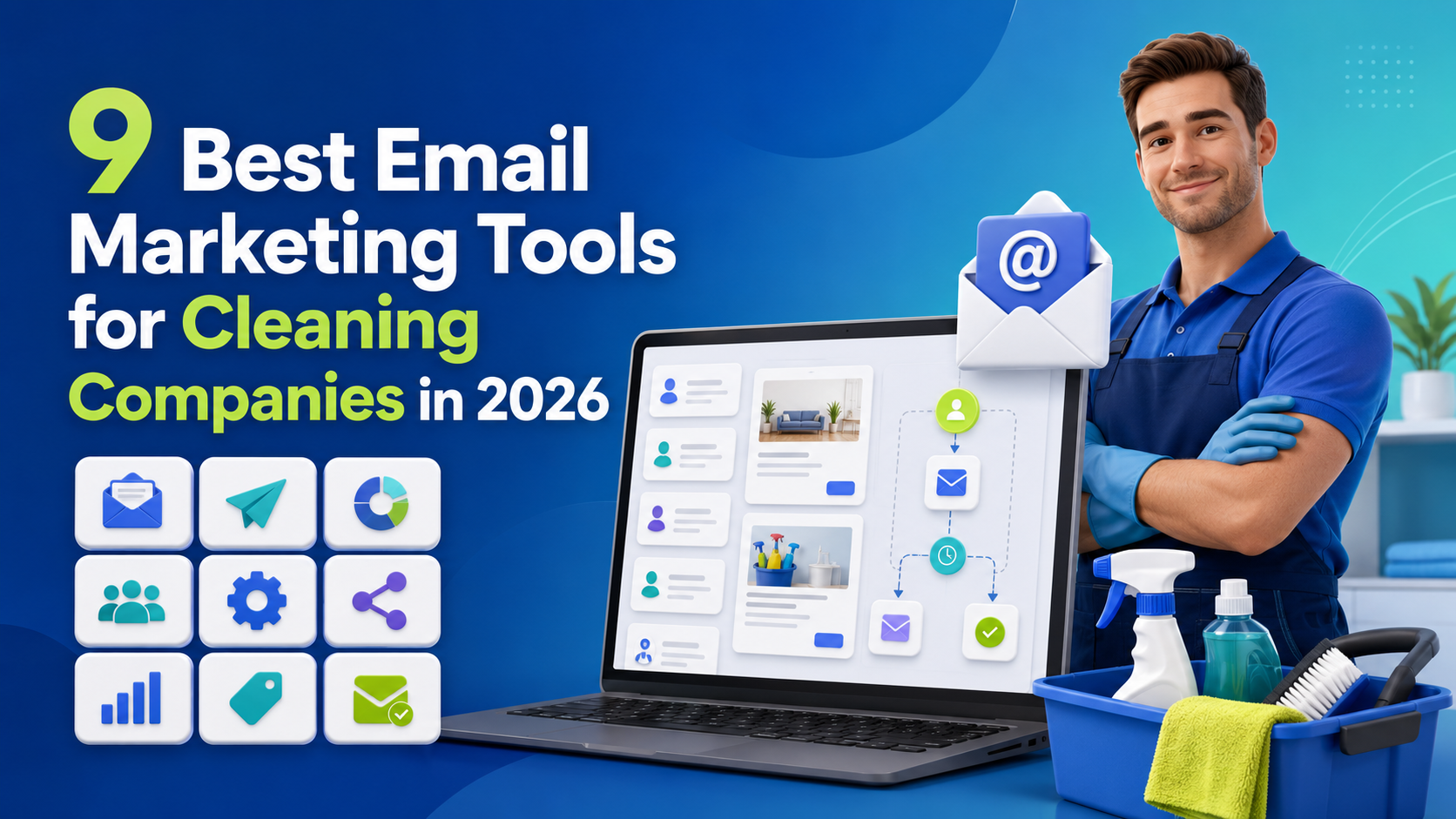
Running a cleaning company involves more than completing jobs and keeping properties spotless. Owners must answer inquiries. They need to prepare estimates. They have to coordinate cleaners and manage schedules. They must also collect payments and encourage satisfied clients to book again.
Marketing can easily fall behind when these daily responsibilities take priority. Email marketing gives cleaning companies a practical way to stay connected with prospects and existing clients without contacting everyone manually. A well-planned system can send booking confirmations. It can remind customers about upcoming appointments. It can request reviews after completed jobs and encourage inactive clients to return.
However, choosing software is not as simple as finding a platform that sends newsletters. The best email marketing tools for cleaning companies should fit the way a service business operates. They should make it easy to organize residential and commercial clients. They should support relevant automation and connect with booking or customer data. They should also provide clear reports that show whether campaigns create real appointments.
Some cleaning companies need an easy newsletter platform. Others need an advanced CRM for cleaning businesses with sales pipelines and marketing automation. WordPress-based companies may prefer to manage contacts and campaigns directly from their websites. Larger operators may need email features inside a complete field-service management platform.
Why Email Marketing Matters to a Cleaning Company
A cleaning business depends heavily on timing and trust.
Someone who receives a one-time deep-cleaning service may need help again before moving home. A residential client may want regular service after trying an initial appointment. A commercial prospect may request an estimate but wait several weeks before making a decision. Email allows the company to continue those relationships after the first interaction.
Social media is useful for visibility. Search advertising can generate new inquiries. Local directories can help potential customers discover a company. Yet these channels do not always provide a reliable way to reconnect with an individual prospect.
An opted-in email address creates a direct communication route.
This does not mean a cleaning company should constantly send discounts. The most effective messages are often practical. An appointment reminder reduces confusion. A preparation guide helps a cleaner begin work on time. A post-service message gives the client a simple way to report a problem. A seasonal reminder reaches the customer when a relevant need is likely to appear.
Email marketing for cleaning services can support the entire customer journey. It can help a company turn inquiries into first bookings. It can also increase repeat appointments and improve client retention.
Email supports repeat bookings
Many cleaning services are naturally repeatable.
Homes need ongoing maintenance. Offices need recurring janitorial work. Carpets need periodic care. Windows become dirty again. Holiday rentals must be prepared between guests.
A customer may intend to rebook but simply forget. A well-timed email provides a useful reminder without requiring an employee to call every former client.
The message can be based on the customer’s last service date. It can also reflect the type of work completed. Someone who booked carpet cleaning six months ago should not necessarily receive the same message as a weekly residential client.
This is why automation and segmentation matter.
Email helps educate potential clients
Cleaning services sometimes require more explanation than owners expect.
A potential customer may not understand the difference between standard cleaning and deep cleaning. A business manager may want to know whether evening appointments are available. A landlord may need information about end-of-tenancy services.
Educational email campaigns can answer these questions before a salesperson needs to become involved.
A short sequence might explain what a service includes. It could cover how pricing works and what the client should do before the appointment. It might also share proof of insurance or introduce the company’s quality-control process.
This information reduces uncertainty. It can help qualified prospects feel more comfortable booking.
Email can increase the value of existing relationships
Acquiring a new customer often requires advertising and sales effort. Existing customers already understand the company’s service quality.
Relevant email campaigns can introduce additional services to these clients.
A standard residential customer may be interested in oven cleaning. A commercial account may need periodic floor care. A property manager may also require turnover cleaning or window washing.
These offers should be based on genuine relevance. Sending every available service to every contact creates noise. Using booking history to select an appropriate recommendation produces a better experience.
Email creates a measurable communication channel
Telephone conversations are valuable but difficult to compare at scale. Social media reach can fluctuate. Email platforms provide clearer performance data.
A cleaning company can see how many messages were delivered. It can track which links received clicks. With proper website and booking tracking, it can also measure which campaigns produced requests or confirmed appointments.
This data helps the company make better marketing decisions.
What Cleaning Companies Should Look for in Email Marketing Software
A large template library may look impressive. It is rarely the most important selection factor.
Cleaning companies need software that supports real operational situations. Before comparing products consider how contacts enter the system. Think about which customer actions should trigger communication and how bookings will be attributed to campaigns.
The following capabilities deserve particular attention.
Customer and lead management
A useful platform should maintain more than a list of email addresses.
The contact profile should contain information that helps the business communicate appropriately. This might include location. It could include customer type and preferred service. It may also record the last appointment date or the original lead source.
A proper CRM for cleaning businesses helps office staff understand the history of each relationship. It can show whether a contact is a prospect or a customer. It may also record previous campaigns and responses.
Without this context, personalization remains superficial.
Segmentation based on useful data
Segmentation divides a contact database into relevant groups.
A cleaning company could create separate segments for residential clients and commercial accounts. It might distinguish active recurring customers from one-time clients. It could group contacts by service area or previous booking type.
Useful segments may include:
- Prospects who requested an estimate but did not book
- Clients with an upcoming appointment
- Customers who completed their first service
- Regular residential clients
- Commercial cleaning accounts
- Former clients who have not booked recently
- Customers who previously purchased a specific service
- Subscribers who engage with seasonal cleaning content
Not every platform can create these segments automatically. The available options depend on the data stored in the email tool and the quality of its booking integration.
Booking and scheduling connections
A newsletter platform does not automatically know that someone scheduled a cleaning appointment.
The booking system must pass that information to the email or CRM platform. This may happen through a native integration. It could use an automation connector or an API. WordPress businesses may be able to connect both systems within the same website.
This integration affects the accuracy of cleaning company email automation.
For example, a reminder should stop when an appointment is cancelled. A first-service follow-up should not be sent before the job is complete. A reactivation campaign should exclude clients who already have future bookings.
Disconnected systems make these mistakes more likely.
Flexible automation
Automation should handle predictable communication while allowing staff to deal with situations that require judgment.
Useful triggers include a new inquiry. Other triggers might include an estimate submission or a confirmed booking. Completed appointments and long periods of inactivity can also start workflows.
The platform should let the company define delays and conditions. It should also provide a way to remove a person from the workflow when their situation changes.
A simple automation might send a preparation guide immediately after a booking. A more advanced workflow might check which service was selected. It could then deliver instructions that match that particular appointment.
Email design and mobile support
Cleaning clients will often read emails from their phones.
Campaigns therefore need responsive layouts. The booking button must be easy to tap. Text should remain readable without zooming, and essential information should appear before decorative content.
A visual email builder helps nontechnical users create messages. However, design freedom should not become a distraction. Simple emails often work well for local service businesses because they feel direct and personal.
Forms and consent management
The email platform should help the business collect contacts ethically.
Subscription forms need clear consent language. Users should understand what type of messages they will receive. The system should record the subscription source and provide an unsubscribe option.
Rules vary by country and by the location of the recipient. Businesses should understand the privacy and marketing laws that apply to them. In the United States this includes CAN-SPAM requirements. Companies serving people in the European Economic Area may also need to consider GDPR obligations.
Software can support compliance. It cannot replace a suitable legal process.
Deliverability controls
Creating a campaign does not guarantee that it reaches the inbox.
Cleaning companies should use a business domain and configure the authentication records recommended by their sending provider. These normally include SPF and DKIM. A DMARC policy also helps domain owners manage authentication and abuse.
The platform should provide information about bounces and complaints. It should suppress invalid addresses and process unsubscribe requests correctly.
A self-hosted tool requires the site owner to pay particular attention to the sending method. A SaaS platform manages more of the infrastructure but still depends on the sender maintaining a healthy list.
Reporting tied to appointments
Open rates can provide directional information. They are not a complete measure of success because privacy features may affect open tracking.
Clicks provide a stronger sign of interest. Completed forms and bookings are more valuable business outcomes.
The best reporting setup connects campaigns to appointment requests and revenue. It helps answer questions such as the following:
- Which campaign produced the most bookings?
- Which customer segment responded?
- Did the promotion generate profitable work?
- How many inactive clients returned?
- How many people unsubscribed?
- Did the campaign attract the right type of service request?
These answers are more useful than a high open rate on its own.

Comparing the Best Email Marketing Tools
The following platforms serve different operational needs. Some specialize in marketing, while others focus on field-service management and include customer communication within a broader system.
Exact prices are not presented because vendor plans, limits, and promotional rates change frequently. Businesses should confirm current prices and feature availability directly before purchasing.
This guide compares nine options from those different categories. It explains what each platform does well. It also covers its limitations and the type of cleaning company it is most likely to suit.
1. HubSpot Marketing Hub
HubSpot connects email marketing with a broader customer relationship management environment.
Its email capabilities include a visual editor, templates, forms, CRM-based personalization, segmentation, automation, and reporting. This allows a cleaning company to build campaigns around customer records rather than maintain disconnected lists.
A residential cleaning company could use HubSpot to respond to quote requests, nurture undecided prospects, and reactivate former customers. A commercial contractor could use it to manage a longer process involving site assessments, proposals, internal approval, and contract negotiation.
HubSpot becomes particularly relevant when marketing, sales, and customer-service teams need to share information.
Its range can also create complexity. A solo cleaner or small local company may not need an extensive customer platform. Advanced capabilities can require additional implementation, training, and higher service levels.
HubSpot is most appropriate for growing cleaning companies that need structured CRM, lead management, automation, and reporting.
2. NextCRM
NextCRM is a WordPress-native CRM and email marketing automation plugin. It helps cleaning companies manage contacts, lists, tags, audience segments, campaigns, and automated workflows from one WordPress dashboard.
A cleaning business can use NextCRM to organize residential and commercial customers. It can also create follow-up sequences for new inquiries, estimates, and inactive clients. When compatible booking information is available, businesses can send relevant appointment preparation emails and post-service messages.
NextCRM includes mailbox management, so users can connect an email-sending provider without installing a separate SMTP plugin. Email delivery still depends on the connected provider, domain authentication, and list quality.
The platform is most suitable for WordPress-based cleaning companies that want greater control over their customer data and email activities. Before choosing it, businesses should confirm that their booking system and forms can provide the information required for each automation workflow.
3. Mailchimp
Mailchimp is widely used by small businesses for newsletters and email campaigns.
Its platform includes templates, audience management, segmentation, landing pages, automation, and reporting. The interface can make it a practical starting point for companies launching their first organized email strategy.
A small cleaning company could use Mailchimp for seasonal announcements, educational newsletters, lead-magnet delivery, welcome messages, and basic reactivation campaigns.
The main consideration is operational data.
Mailchimp does not automatically know that a cleaning appointment has been completed unless the booking platform sends that information. Without an integration, employees may need to import customer records manually.
Manual imports may be acceptable for occasional newsletters, but they are less dependable for appointment reminders and service-based automation.
Mailchimp is most appropriate for small cleaning businesses that need accessible campaign creation and do not yet require complex operational workflows.
4. Constant Contact
Constant Contact emphasizes straightforward email creation, templates, audience growth, and customer communication.
It may suit a local cleaning company that collects contacts from its website, social profiles, community events, QR codes, and offline materials.
The platform can support educational newsletters, seasonal reminders, local service announcements, and customer appreciation messages.
A company requiring detailed conditional journeys should compare its current automation and segmentation features with more specialized platforms.
Constant Contact is most appropriate for small and midsize cleaning businesses that prioritize ease of use and manageable campaign creation.
5. Brevo
Brevo combines email marketing, contact management, and automation with additional communication options, including SMS under applicable plans and market conditions.
This can help a cleaning business choose a suitable channel for each message.
A detailed service-preparation guide may work best by email. A short arrival update may be better suited to text. A multichannel system can coordinate those touchpoints when customer consent is managed correctly.
Permission for marketing email should not automatically be treated as permission for promotional text messages. The company must follow the requirements that apply to each channel and region.
Brevo is most appropriate for cleaning companies that want email and SMS capabilities in a broader communication platform.
6. ActiveCampaign
ActiveCampaign is known for detailed automation and segmentation.
It can create different paths based on tags, customer fields, form responses, engagement, and recorded actions.
This flexibility can benefit a cleaning company with several customer groups. Residential leads, commercial facility managers, landlords, and rental hosts can each receive different information.
The platform can also support lead scoring and more detailed customer journeys when accurate operational data reaches the system.
Its flexibility requires planning. Workflows need clear names, entry conditions, delays, goals, and exit rules. A small team should begin with several valuable automations rather than trying to automate every interaction immediately.
ActiveCampaign is most appropriate for established cleaning companies with sophisticated lead-nurture, retention, and reactivation requirements.
7. Jobber
Jobber is primarily a field-service management platform.
It focuses on customer requests, quotes, scheduling, jobs, invoices, payments, and customer communication.
This operational context is useful. Quote follow-ups, appointment updates, invoice messages, and review requests can be connected to actual service activity rather than maintained in a separate marketing database.
However, Jobber is not solely an advanced email marketing system. A company requiring detailed newsletters, complex behavioral segmentation, or extensive marketing journeys may still need a specialist platform.
Jobber is most appropriate for small service teams that prioritize job management, scheduling, and essential customer follow-up.
8. Housecall Pro
Housecall Pro also serves home-service businesses.
It includes scheduling, dispatch, estimates, payments, notifications, and customer-management features. Its mobile-focused workflow can help cleaning teams that spend most of their working hours away from an office.
A residential cleaning company can use it for appointment reminders, estimate follow-up, post-job communication, and review requests.
The business should still assess whether its required marketing segmentation and automation are available. A capable field-service platform does not always replace a dedicated marketing system.
Housecall Pro is most appropriate for residential cleaning teams that need field operations and timely customer communication in one environment.
9. ServiceTitan
ServiceTitan is designed for larger service organizations.
It includes capabilities related to customer management, dispatch, sales, payments, reporting, and marketing. These functions can support commercial contractors, franchises, and multi-location companies.
Larger organizations may value branch reporting, role-based access, call management, marketing attribution, and coordination across several teams.
The breadth also creates implementation and training requirements. A small cleaning business may pay for complexity it does not need.
ServiceTitan is most appropriate for large contractors and structured multi-location service operations.
Quick Comparison of the Best Email Marketing Tools for Cleaning Companies
| Tool | Main strength | Best suited to | Main limitation |
| NextCRM | WordPress-native CRM and automation | Cleaning companies operating through WordPress | Requires a WordPress website and responsible hosting management |
| Mailchimp | Accessible campaign creation | Small companies starting with newsletters | Booking data may require integrations |
| Brevo | Email and multichannel communication | Companies needing email with SMS options | Advanced workflows require careful setup |
| Constant Contact | Straightforward email campaigns | Local companies that value ease of use | Less flexible than specialist automation tools |
| ActiveCampaign | Detailed automation and segmentation | Companies with complex customer journeys | Can be difficult for beginners |
| Jobber | Job data and customer campaigns in one system | Residential and field-service cleaning teams | Marketing features are less extensive than dedicated platforms |
| Housecall Pro | Automated service communication | Mobile teams managing jobs and appointments | Not designed primarily as an email marketing platform |
| ServiceTitan | Enterprise service operations and marketing | Large contractors and multi-location businesses | Cost and complexity may be unsuitable for small teams |
| HubSpot | CRM and advanced marketing management | Growing companies with sales and marketing teams | Advanced plans can become expensive |
Where Cleanly Fits into a Cleaning Company’s Email Workflow
Cleanly belongs to a different software category than the dedicated email marketing platforms in this comparison.
It is a WordPress booking system designed for cleaning-service operations. Its functions include online booking and service configuration. It can also support staff and scheduling workflows depending on the selected features and add-ons.
A company could use Cleanly to collect appointment information while using an email marketing or CRM platform to manage longer-term communication.
For example, the booking process may produce useful data such as the selected service and appointment details. A connected CRM could then use appropriate data to send preparation instructions or segment the customer for future campaigns.
The important issue is integration quality.
A company should confirm which Cleanly events are available to its chosen email platform. It should verify whether new customers can be added automatically and whether service information is transferred. It should also test cancellation and rescheduling scenarios before activating campaigns.
Cleanliness should therefore be evaluated as part of the booking layer. NextCRM or another email tool would represent the relationship and campaign layer. The exact combination should be selected according to verified integration capabilities rather than brand familiarity.
Which Tool Is Best for Each Type of Cleaning Company?
There is no single best tool for every cleaning business. The right choice depends on the company’s size, website platform, workflow, and marketing needs.
New cleaning companies can begin with Mailchimp or Constant Contact. Both support basic contact management, welcome emails, and newsletters. WordPress-based cleaning businesses may prefer NextCRM for managing contacts, campaigns, and automation inside WordPress. A booking system such as Cleanly can support the operational side of the workflow.
Jobber and Housecall Pro are practical for residential field-service teams that need scheduling and customer communication in one system. ActiveCampaign is better suited to companies requiring advanced segmentation and automation. Larger businesses can consider HubSpot for marketing and sales CRM or ServiceTitan for broader field-service operations.
Cleaning Company Email Campaigns Worth Automating
Cleaning companies can automate several routine messages to save time and create a more consistent customer experience.
A new-inquiry email can confirm that a request was received and explain what happens next. An estimate follow-up can remind interested prospects to review or approve a quotation without overwhelming them with frequent messages.
After a customer books, a preparation email can explain property access, pet arrangements, and cancellation policies. An appointment reminder can confirm the date, service location, and contact details.
Post-service emails can collect feedback and provide a way to report concerns. Once the customer is satisfied, a separate message can request a review or referral.
Cleaning companies can also automate repeat-service reminders based on previous appointments. Seasonal campaigns can introduce relevant services at suitable times. Reactivation emails can reconnect with former clients who have not booked recently.
Each workflow should use current booking data. Customers with future appointments should not receive rebooking or reactivation messages.
Cleaning Company Email Campaigns Worth Automating
Email automation helps cleaning companies respond faster and maintain consistent communication. A new inquiry workflow can acknowledge the customer’s request and explain the next step. If the customer receives an estimate but does not respond, one or two polite follow-ups can encourage action without creating unnecessary pressure.
After a booking, the company can send preparation instructions based on the selected service. The email might cover property access, pets, fragile belongings, and cancellation terms. An appointment reminder can then confirm the date, location, and contact details.
Post-service emails are useful for gathering feedback and resolving concerns. Once satisfaction is confirmed, the company can request a review or referral. Repeat-service reminders can encourage past customers to book again, while seasonal campaigns can promote relevant services based on local needs.
Reactivation emails can reconnect with clients who have not booked recently. However, these campaigns should exclude customers with upcoming appointments and people who have unsubscribed.
How to Segment a Cleaning Company’s Email List
Segmentation helps cleaning companies send more relevant messages. Start with simple categories based on accurate customer and booking information.
Residential and commercial clients should usually receive different content. Residential customers may value convenience, preparation guidance, and recurring service options. Commercial clients may care more about consistency, staffing, and service documentation.
Prospects should also be separated from existing customers. A prospect may need service explanations and trust-building information. An established customer is more likely to respond to booking reminders or relevant add-on services.
Service history provides another useful way to segment contacts. Carpet-cleaning clients can receive carpet-care content. Move-out customers may need property handover information. Office-cleaning clients can receive maintenance updates.
Location is important when service coverage and seasonal needs vary. Engagement data can also identify active subscribers. However, clicks and form submissions are generally more dependable signals than email opens alone.
How to Create Better Cleaning Service Emails
Every email should have one clear purpose. An appointment reminder should focus on appointment information. A seasonal campaign should concentrate on one relevant service instead of presenting several unrelated offers.
Use direct subject lines that explain what the recipient will find inside. Suitable examples include “Your cleaning appointment is confirmed,” “How to prepare for Thursday’s service” and “Ready to schedule your next carpet cleaning?”
Personalization should extend beyond the customer’s name. Mentioning the selected service or appointment date can make an email more useful. Dynamic fields should always have fallback text in case customer information is missing.
Include one clear call to action. Emails should also be easy to read on mobile devices. Use short paragraphs and readable text. Keep buttons clearly visible and compress large images. Test every campaign on a phone before sending it.
Measuring Email Marketing Performance
Cleaning companies should focus on metrics connected to appointments and customer retention.
The delivery rate shows whether emails reached receiving mail servers. An increase in bounced emails may indicate outdated contact information or a technical problem.
Open rate can help compare subject lines, but privacy features make it an imperfect measurement. Click-through rate is often more useful because it shows whether recipients interacted with a link or call to action.
Booking conversion rate measures how many recipients scheduled a service or requested an estimate. The repeat booking rate shows whether retention campaigns encouraged previous customers to return.
Unsubscribe and complaint rates help identify irrelevant content or excessive sending frequency. Every unsubscribe request should be processed promptly.
Revenue should also be compared with campaign costs and service expenses. A campaign may generate bookings without producing strong profit if it relies on large discounts. The most useful reports, therefore, connect email activity with completed appointments, repeat customers, and profitable revenue.
Frequently Asked Questions
What is the best email marketing tool for a small cleaning company?
Mailchimp and Constant Contact are practical options for newsletters and simple campaigns. Brevo provides broader communication features. WordPress users can consider NextCRM for managing contacts and automation inside their websites. The right choice depends on the booking system and required automation.
What is the best email marketing tool for a WordPress cleaning website?
NextCRM is designed for WordPress-native CRM and email marketing. Cleaning companies can manage contacts, campaigns, and automated workflows from the WordPress dashboard. Before choosing it, confirm that it can receive the required data from your booking system.
Can Cleanly send marketing emails?
Cleanly is primarily a WordPress booking solution for cleaning businesses rather than a dedicated email marketing platform. It can manage the booking side of the customer journey while a compatible CRM or email tool handles campaigns and long-term communication.
How often should a cleaning company email customers?
Appointment emails should be sent when relevant events occur. For marketing content, a monthly email may be enough for many residential clients. Commercial prospects may need more focused follow-ups. Monitor clicks, unsubscribes, and bookings before increasing the frequency.
Which emails should a cleaning company automate first?
Begin with new-inquiry responses, booking confirmations, appointment reminders, and post-service follow-ups. Once these workflows operate correctly, add repeat-booking reminders, review requests, and client-reactivation campaigns.
How can a cleaning company keep emails out of spam?
Send emails only to people who have provided appropriate consent. Use a business domain and configure SPF, DKIM, and DMARC. Remove invalid addresses and include a clear unsubscribe option. Avoid misleading subject lines and monitor bounce and complaint reports.
Final Thoughts
The best email marketing tools for cleaning companies are the ones that connect communication with the real customer journey.
Mailchimp and Constant Contact offer accessible campaign creation. Brevo adds multichannel and transactional options. ActiveCampaign provides deeper automation. HubSpot combines marketing with a substantial CRM.
Jobber and Housecall Pro connect communication more directly with field-service operations. ServiceTitan is designed for larger organizations with broader operational requirements. NextCRM offers a WordPress-native approach for companies that want to manage CRM data and email automation within their website.
Cleanly can support the booking side of a WordPress cleaning business. It should not be confused with a complete email marketing platform. A company considering Cleanly with NextCRM or another tool should verify exactly how booking events and contact data will move between them.
The correct choice depends on business size and technical resources. It also depends on the current booking system and the level of automation the company can maintain.
Begin with a few useful workflows. Build a permission-based contact list. Keep customer data accurate and measure appointments rather than vanity metrics.
Email marketing works best when it feels like a helpful extension of the cleaning service itself.




Comments
Congratulations, you have the opportunity to be the first commenter on this article.
Have a question or suggestion? Please leave a comment to start the discussion.