



With over 55,000 WordPress plugins on the market, choosing the most suitable one for your site can be confusing, particularly if you’re a WordPress newcomer.
WordPress plugins optimize your website’s speed, performance, SEO, and media management, making them a requirement if you plan on growing. Perhaps the largest problem website owners face is organizing media files without clogging their servers.
WP Offload Media is a very popular plugin for offloading media like images, videos, and other files to cloud storage like Amazon S3, DigitalOcean Spaces, and Google Cloud Storage.
One of the most frequently asked questions we hear from WordPress website owners is: “Are there good plugins like WP Offload Media?”
The answer is YES.
In this blog, we will discuss the top five plugins, such as WP Offload Media, that allow you to offload media files, compress images, minimize server load, and speed up your website.
Let’s get started.
1. Next3 Offload – Best WP Offload Media Alternative for Cloud Storage & Optimization

Next3 Offload is an affordable and feature-laden WordPress plugin that offloads optimizes, and speeds up media files to decrease the server load and enhance website performance.
As a robust WP Offload Media alternative, it allows users to store their files on Amazon S3, DigitalOcean Spaces, and Wasabi Cloud Storage for a straightforward, scalable, and secure way of managing media.
Key Features:
- Seamless Cloud Storage Offloading – Offload your media files to cloud storage automatically, lowering server load and enhancing performance.
- Multi-Cloud Integration – Seamlessly integrate with Amazon S3, DigitalOcean Spaces, and Wasabi to securely store and manage your media.
- Lightning-Fast Content Delivery: With integrated CDN support, your media loads instantly anywhere globally, enhancing user experience and SEO rankings.
- Pro Image Optimization – Transform images to WebP format and compress files without loss of quality, resulting in faster page loading and improved performance.
- Simple & Developer-Friendly – No coding! Install in minutes with an easy-to-use dashboard, while developers can take advantage of advanced customization features.
- Cost-Effective Alternative – Get world-class features at a fraction of the price of WP Offload Media, the best value-for-money solution.
Why Choose Next3 Offload?
If you are looking for a feature-rich yet affordable media offloading plugin, Next3 Offload is the best option for optimizing your WordPress site.
2. Publitio – Best for Video & Audio Storage
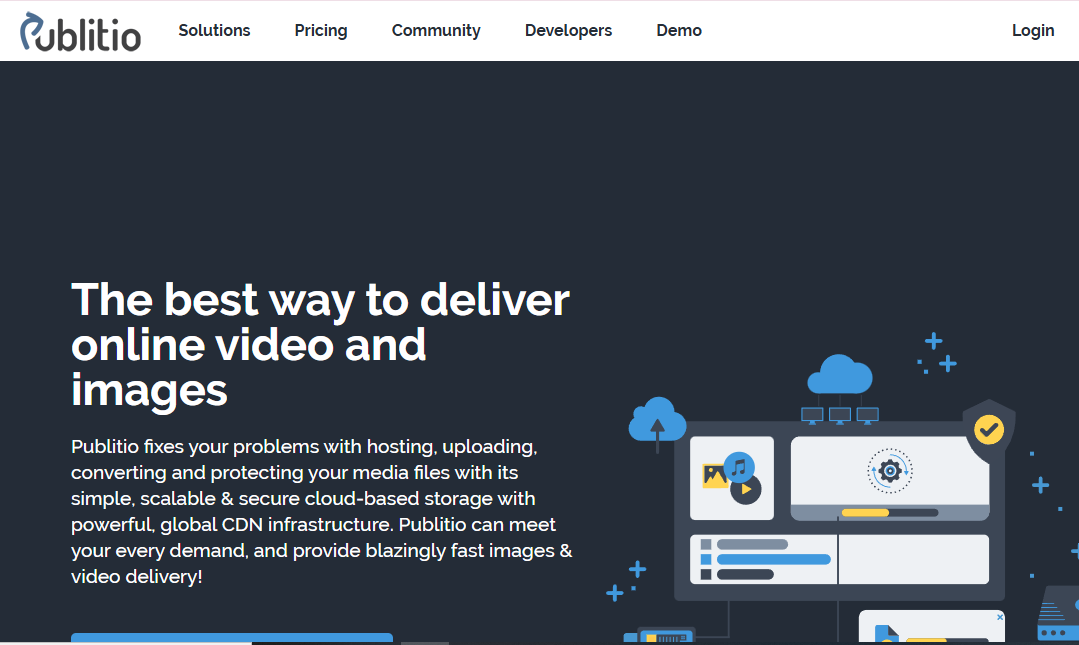
Publitio is a lightning-fast, secure, and easy cloud-based media management tool built specifically to help with hosting, uploading, converting, securing, and serving images and videos in an extremely efficient way.
Publitio offers blazing speed in media delivery through a very strong global CDN infrastructure and maximum control of your content.
Key Features:
- Simple Uploading – Upload videos, images, audio files, and PDFs from the dashboard or API.
- Real-Time URL-Based Transformations: You can Resize, crop, add a watermark, format convert, and change the quality in real-time.
- Improved Security & Protection – Make files private, limit playback to certain domains, and allow HLS video encryption to avoid unauthorized downloads.
- Effortless Sharing – Share files effortlessly through simple links or embed them without coding expertise.
- Scalable & Affordable – Pay-as-you-go pricing with elastic storage and bandwidth scaling.
- Customizable Player – Monetize your video content with support for VAST/IMA ad tags.
- CDN out of the box – With six data centers spread across the world, Publitio provides low latency and fast media delivery anywhere in the globe.
- In-depth Analytics – Track performance and user interaction with built-in analytics.
- Smooth REST API Integration – Streamline media management with ease using SDKs and CMS plugins.
Why Choose Publitio?
Ideal for bloggers, educators, and companies that host and live-stream videos directly from WordPress.

3. Infinite Uploads – Best for Easy Cloud Storage Without External Setup

Infinite Uploads is a comprehensive, robust media management tool for WordPress site optimization with effortless video hosting, encoding, streaming, cloud storage, and CDN delivery.
The intelligent cloud plugin helps users offload big files, save hosting costs, and optimize website speed without third-party integrations.
Key Features:
- GDPR-Compliant Video Hosting – Encode and host an unlimited number of videos directly to the cloud for seamless ad-free streaming and tracking.
- Cloud Storage & CDN – Store and distribute files on a global Content Delivery Network (CDN) for fast loads.
- Unlimited Sites & Files – Link multiple sites without incurring extra licensing costs.
- WordPress Integration – Process media files directly from the WordPress Media Library without FTP or third-party plugins.
- Secure & Scalable – Enjoy the advantages of encrypted SSL uploads, 99.999999999% data durability, and GDPR readiness.
- Ecommerce-Ready – Works seamlessly with WooCommerce, Easy Digital Downloads, and other digital commerce plugins.
- Bulk Media Transfer & Restore – Transfer or restore media files with a single click easily.
- Performance-Optimized – Preload high-definition images, motion graphics, podcasts, and big audio files without slowing down the website, rendering it lightweight and fast.
Why Choose Infinite Uploads?
Perfect for website owners who wish for cloud media storage without the hassle of opening an Amazon S3 or DigitalOcean account.
4. Offload Media – Best for Multi-Cloud Integration

Offload Media is a WordPress plugin that improves website speed by offloading the media files into cloud storage. It smoothly transfers images, videos, PDFs, ZIP archives, and other media from your WordPress server to Amazon S3, Google Cloud Storage, Cloudflare R2, and DigitalOcean Spaces. This reduces the server load, increases page speed, and improves the user experience.
With Offload Media, you can rewrite media URLs to serve files directly from a cloud storage or CDN provider, ensuring fast and trustworthy content delivery.
Key Features:
- Website Speed Boost – By reducing server requests, your site loads faster.
- Cloud Integration – Sync your media files to Amazon S3, Google Cloud Storage, Cloudflare R2, and DigitalOcean Spaces.
- Automated Server Cleanup – Clear media from your WordPress server upon upload to the cloud.
- Customizable Storage & URLs – Set a custom base path and URL structure for cloud-stored media.
- Object Versioning – Avoid caching problems by activating object versioning.
- Pre-signed URLs – Share media securely with pre-signed URLs.
- WooCommerce & WPML Support – Complete WooCommerce and WPML string translations support.
- RTL & Advanced Custom Fields Support – RTL language and Advanced Custom Fields supported.
- Custom CDN Support – Seamlessly integrate any content delivery network (CDN) for improved media performance.
Why Choose Offload Media?
For ultimate flexibility with cloud storage solutions, Offload Media is the ideal choice.
5. Media Cloud – Best for Real-Time Image Optimization

Media Cloud is a powerful WordPress plugin that offloads optimizes, and optimizes media file processing.
Having your videos, images, and other media effortlessness moved to top-notch cloud storage such as Amazon S3, Google Cloud Storage, DigitalOcean Spaces, Cloudflare R2, Minio, Backblaze, and many others, Media Cloud lightens the server load and speeds up your site.
Key Features:
- Cloud Storage Integration – Upload media automatically to cloud hosts like Amazon S3, Cloudflare R2, DigitalOcean Spaces, and Google Cloud Storage for improved scalability and reduced hosting expenses.
- CDN Support for Speedier Delivery – Deliver media files through Amazon CloudFront, Cloudflare, Fastly, and other CDNs to offer faster page loading across the world.
- Video Encoding by Mux – Encode and stream video in adaptive bitrate HLS so that videos are smooth to watch on any device.
- Real-Time Image Optimization using Imgix: Take advantage of sophisticated image processing and functions such as cropping, filtering, effects, contrast, saturation adjustments, etc., all in real-time!
- Machine Learning-driven Image Tagging using Amazon Rekognition – Tag, classify, and caption images automatically with AI-powered recognition and analysis.
- Enhanced Picture Editing – Take advantage of native image cropping, sharpening, blurring, auto-correction, and format optimization for enhanced media management.
- WP Offload Media & WP-Stateless Migration Simple – Import your current media settings with ease.
- Third-Party Integration Support – Integrates perfectly with WooCommerce, WPML, Easy Digital Downloads, Blubrry Podcasting, and Ultimate Membership plugins.
- Integrated Image Optimization – Integrate with ShortPixel, TinyPNG, Imagify, and Kraken.io to obtain high-quality, lightweight images.
- Cloud Storage Browser – Browse, organize, and import files from your cloud storage to WordPress.
- WP-CLI Support – Import media library, regenerate thumbnails, and AI tag using simple WP-CLI commands.
- Multisite Network Support – Optimize media management for multisite WordPress sites.
- CSS & JS Offloading – Offload your JavaScript and CSS files to the cloud and deliver them via a CDN for improved performance.
Why Choose Media Cloud?
Media Cloud extends beyond normal media offloading by adding real-time optimization, AI-driven features, video encoding, and enhanced image editing capabilities, making it one of the most sophisticated WordPress media management plugins on the market.
Why is Offload Media Needed in WordPress?
Having a WordPress site with numerous images, videos, and media files can make your site slow. Storing them all in the WordPress media library is not necessarily the best option, as it can affect server performance and loading speed.
But imagine if you could upload your media files to cloud storage and host them on your site automatically. That’s precisely what WordPress offloads media plugins do!
Key Benefits of Media Offloading:
- Speeds up website performance
- Reduces hosting costs
- Ensures smooth content delivery with CDN
- Prevents server overload & downtime
- Improves user experience & SEO rankings
Enhance Your Workflow with 5 Plugins Like WP Offload Media
WordPress offers a range of plugins to optimize media, streamline workflows, and enhance performance. In this article, we’ve highlighted 5 WP Offload media alternative plugins. Among all these, we recommend Next3 Offload the most as it’s very similar to WP Offload Media. You can read this WP Offload Media vs Next3 Offload comparison page to learn more.
To avoid unnecessary tools, align your plugin choices with your website’s goals. Focus on plugins that improve media storage and optimization to boost performance and speed. Consider premium versions if they offer features that suit your needs.
Always download plugins from trusted sources, such as the WordPress repository, the developer site, or stable third-party markets. Make sure to look for highly rated, regularly updated plugins to ensure optimal security, fewer compatibility issues, and a reliable site in general.
Happy optimizing!










Comments
Congratulations, you have the opportunity to be the first commenter on this article.
Have a question or suggestion? Please leave a comment to start the discussion.